AI-Powered
Profiler Analysis
Capture profiler data directly from Unity, Unreal, and Godot. Get actionable optimization recommendations in seconds.
How does it work?

Capture
One click in your Unity, Unreal, or Godot project. Our plugin handles the rest.

Analyze
Profiler data is sent directly to our AI. No exports, no uploads, no setup.

Optimize
Review your results and apply the recommended fixes. That's it.
See it in action
From plugin capture to AI-powered report — here's what the workflow looks like.
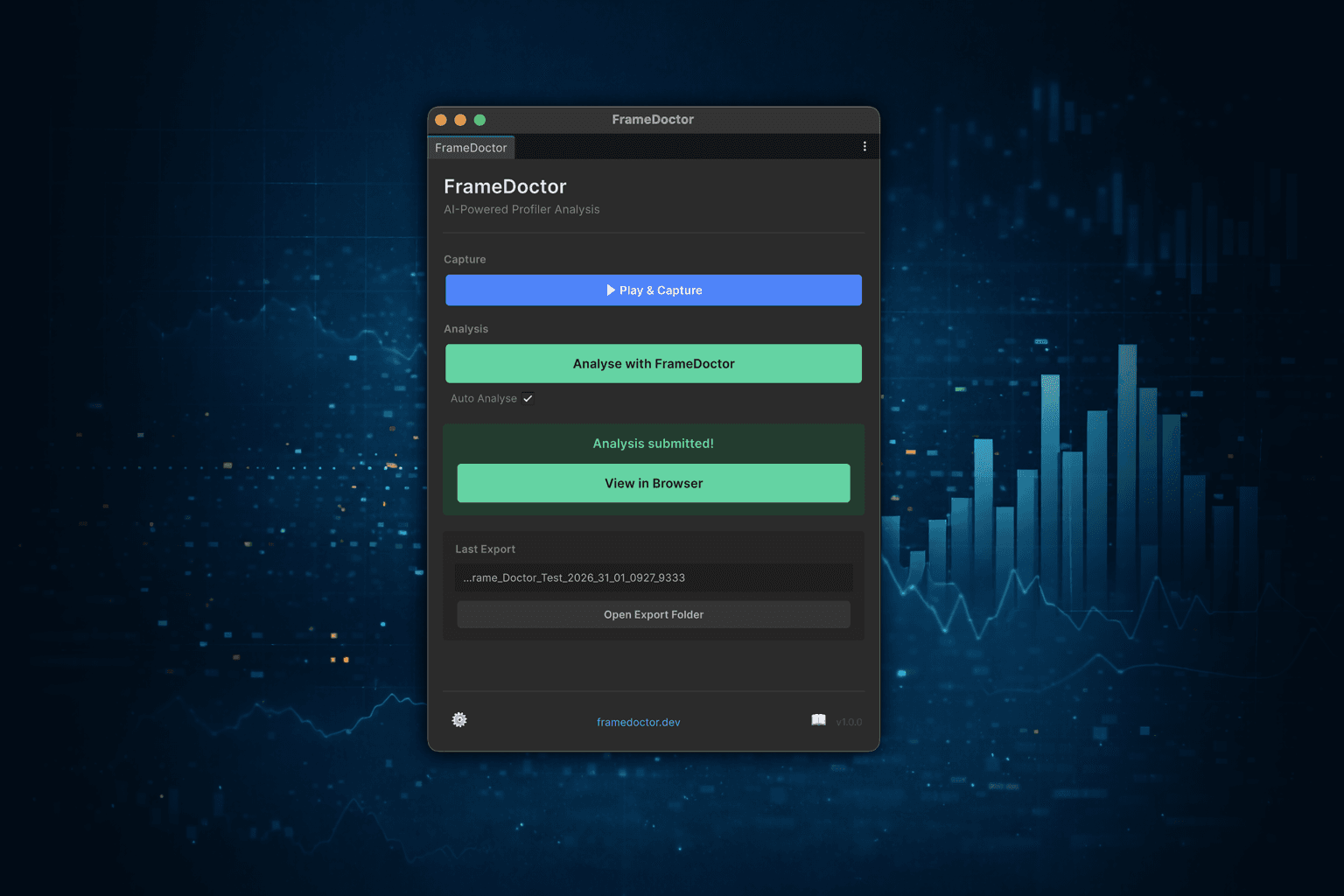
Capture in Unity
Open the FrameDoctor window, hit Capture, and profiler data is recorded automatically.
Your Data, Your Way
CSV · JSON · TXT
Access Your Export Data
The plugin is free and standalone. Export structured profiler data as CSV and use it however you want — no account required.
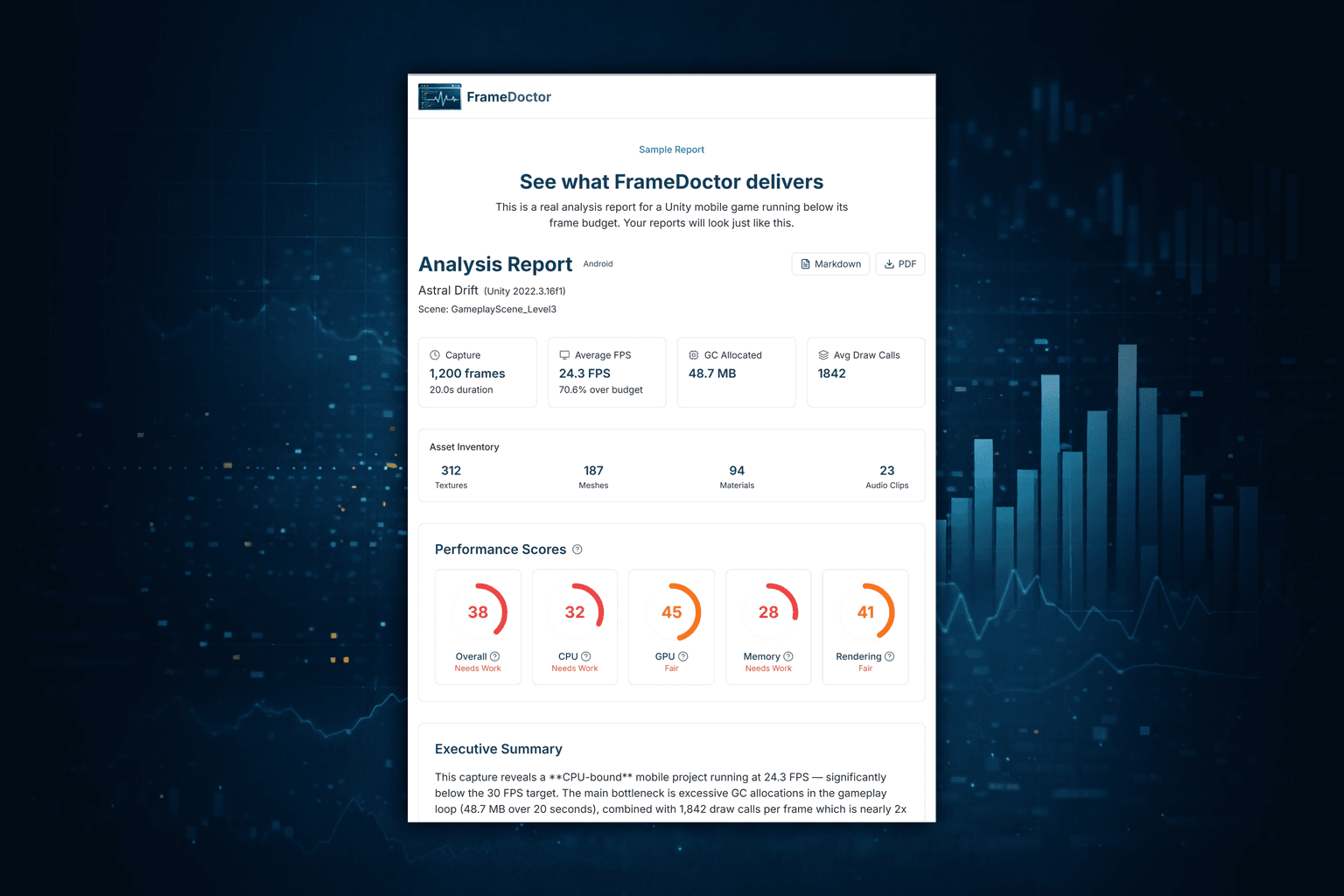
AI-Powered Report
Scores, critical issues, code fixes, and quick wins — all in one view.
What do you get?

Smart Analysis
Cryptic profiler markers translated into clear, understandable language — no deep engine expertise required.

Prioritized Results
Every issue scored by impact and fixability, so you fix what matters most first.

Quick Wins
Specific before and after code examples you can drop straight into your project.
See a real analysis
Here's what FrameDoctor found in a Unity mobile game running at 24 FPS. Performance scores, root causes, and fixes — all in seconds.
Sample Project
Astral Drift — Unity 2022.3 · Android
GC allocation of 2.4 MB/frame in EnemySpawner.SpawnWave() — use object pooling
14 uncompressed RGBA32 textures consuming 224 MB — switch to ASTC 6x6
1,842 draw calls per frame (target: <1,000) — enable SRP Batcher
Physics at 50Hz with 47 Rigidbodies — reduce Fixed Timestep to 0.04